Surface Topography
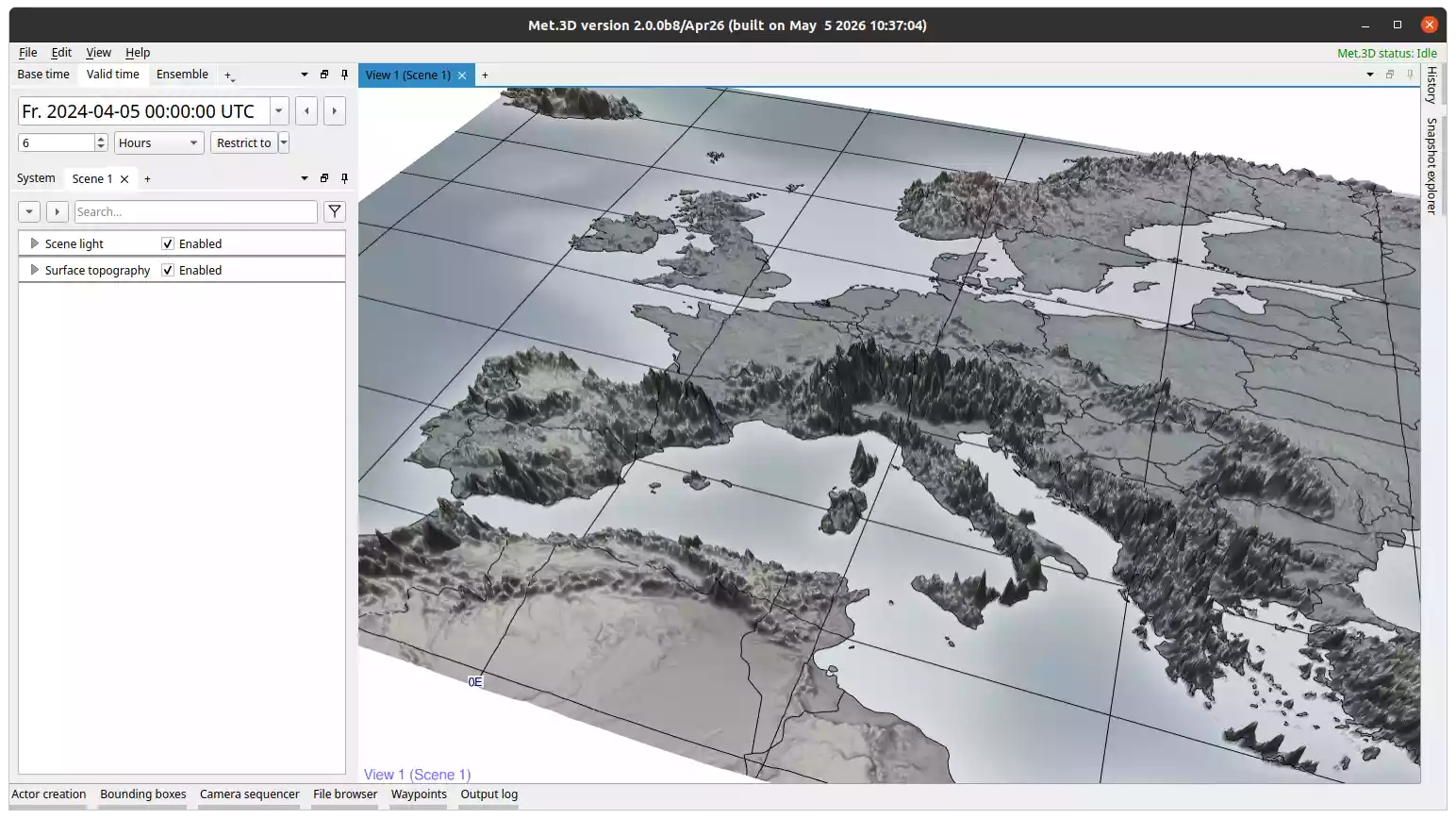
Fig. 35 Surface topography actor coloured by surface pressure.
Overview
The surface topography actor renders a 3-D terrain surface from a 2-D pressure field, or from a selected level of a 3-D field. It is typically used to visualize terrain height by loading surface pressure, optionally coloured by a second variable such as temperature.
Key features:
Terrain surface from a 2-D pressure field or a selected level of a 3-D field.
Optional shading variable for colouring the surface (2-D variables only).
Integrated GeoTIFF basemap draped over the terrain.
Integrated graticule, coastlines, and country borders that follow the terrain shape.
Warning
The topography variable must be in pressure units (hPa or Pa). If your dataset provides terrain height in metres, use a derived variable to convert it to a pressure field first.
Variables
Under Topography → Configuration:
Topography variable: the 2-D pressure field (or 3-D field) used to define the terrain shape.
Level: selects which level of a 3-D field to use as the terrain surface. Only active when the topography variable is a 3-D field.
Shading variable: an optional second variable used to colour the terrain surface. Only available when the topography variable is a 2-D (single-level) field.
Rendering mode and transfer function are configured per-variable under Topography → Variables → your variable → Rendering.
GeoTIFF Basemap
The actor can drape a GeoTIFF raster image over the terrain surface, independent of the separate Basemap actor.
GeoTIFF: toggles the basemap on or off.
Map file: path to the GeoTIFF file. Defaults to the bundled Natural Earth image.
Saturation: adjusts the colour saturation of the basemap (0-1).
Graticule, Coastlines, and Country Borders
Graticule lines, coastlines, and country borders are integrated components configured under Topography → Configuration → Graticule, Coast lines, and Border lines. They are rendered directly on the terrain surface, following its shape.
Their options (enable/disable, colour, thickness, longitude/latitude range and spacing) follow the same pattern as described for the Basemap actor. The shapefile paths for the graticules can be changed in the user settings.