Volume bounding box
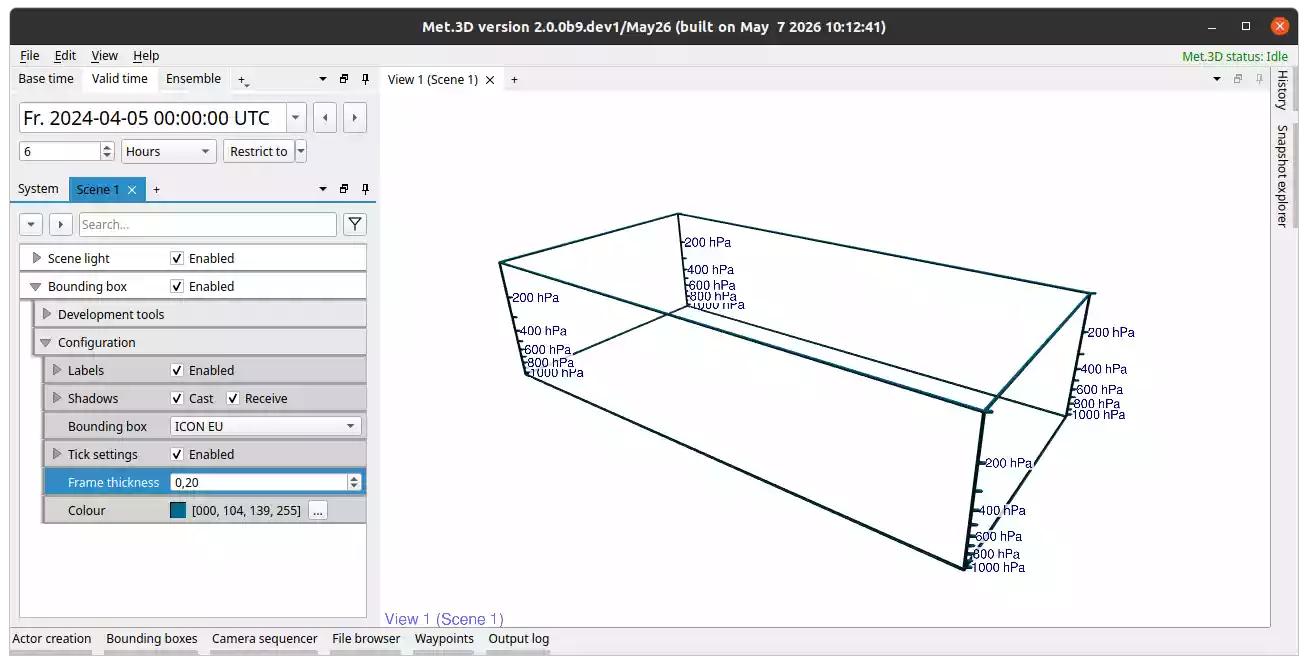
Fig. 21 Volume bounding box actor.
Description
The volume bounding box actor draws a 3-D box into the scene. It can be used to mark the spatial extent of a data volume, or to provide a spatial reference frame for other actors. The edges of the box are rendered as shaded 3-D tubes.
The spatial extent of the box is controlled by the shared bounding box assigned in the Bounding box group.
Appearance
- Frame thickness
Controls the radius of the tube used to draw each edge of the box. At small values the tubes appear as thin lines.
- Colour
Sets the colour applied to the frame and the vertical tick marks.
Label font size and colour, and an optional background box behind the tick labels, are configurable in the Labels group inherited from the actor base class.
Vertical tick marks
Enable Tick settings to draw short horizontal tick lines on the vertical edges of the bounding box and label them with their pressure or flight level values. Sub-properties:
- Tick length
Length of the tick lines extending outward from each vertical edge corner.
- Tick unit
Whether levels are specified in Pressure (hPa) or Flight level (FL).
- Tick levels
Comma-separated list of levels, or a range formatted as
[start, end, step].- Label every n-th tick
Only every n-th tick is labelled, to avoid crowding.
- Display unit
When enabled, the unit string is appended to each label.